


Instagram & LinkedIn carousels
They keep scrolling. Yours makes them stop.
Bring a topic, a link, or a post you admire. Snappd drafts the arc, art-directs the slides, renders them in your brand’s world, and hands you the files to post.
- Every image made by Snappd
- 5 full decks
- Median 6 min a deck
In your colours
How it goes
Five steps, and you hold two of them.
Two decisions from you, about six minutes of waiting, and a deck that came out in your brand’s world.
- 01
Bring something
A topic, a link, or a post you admire.
- 02
Pick a concept
Snappd pitches distinct angles. You choose.
- 03
Read the words
The full deck in copy, before any image exists.
- 04
Approve the cover
One slide renders. The rest wait for your yes.
- 05
Take the files
Every slide, the caption, and a share link.
- The five steps in depth
Why most posts look the same
A template looks like a template. One-off AI art looks like an accident.
Grid tools hand everyone the same nine layouts, so the feed averages out. Image models hand you one striking picture with mangled text and nothing holding the next slide to the last. Neither gives you a post that reads as yours.


One deck, six of its slides
Swipe a real one
A carousel is a sequence. Here’s a whole one.
Ten slides for a made-up brand called Pharos, exported from Snappd exactly as it rendered them. Nothing was staged, reordered or trimmed.
Watch the objects come back and the state rail advance as you swipe. Nobody asked for either slide by slide. That is what a brand universe does.
Swipe the other four


Pharos — 10 slides
hook
Slide 1 of 10. 70% of buyers ask AI first. Most brands don’t show up.
Where a carousel starts
Start from whatever you already have.
Topic
A subject and an audience
Say what it’s about and who it’s for. Snappd picks the hook, builds the arc on a structure that’s known to hold attention, and writes it in your voice.
Concept
A few ideas, then your pick
Snappd pitches distinct concepts for the same subject. You choose the one worth building before a single slide is written.
A post
One you admire
Point at a carousel that works. Snappd reads how it’s built and remakes it for your brand and your topic — the reference shapes your post, it never replaces it.
An article
A link you already published
Paste a blog post or newsletter. Its structure sets the slide order and the slide count, so the carousel says what the article says.
Real output
Every cover on this page came out of Snappd.


How it’s made
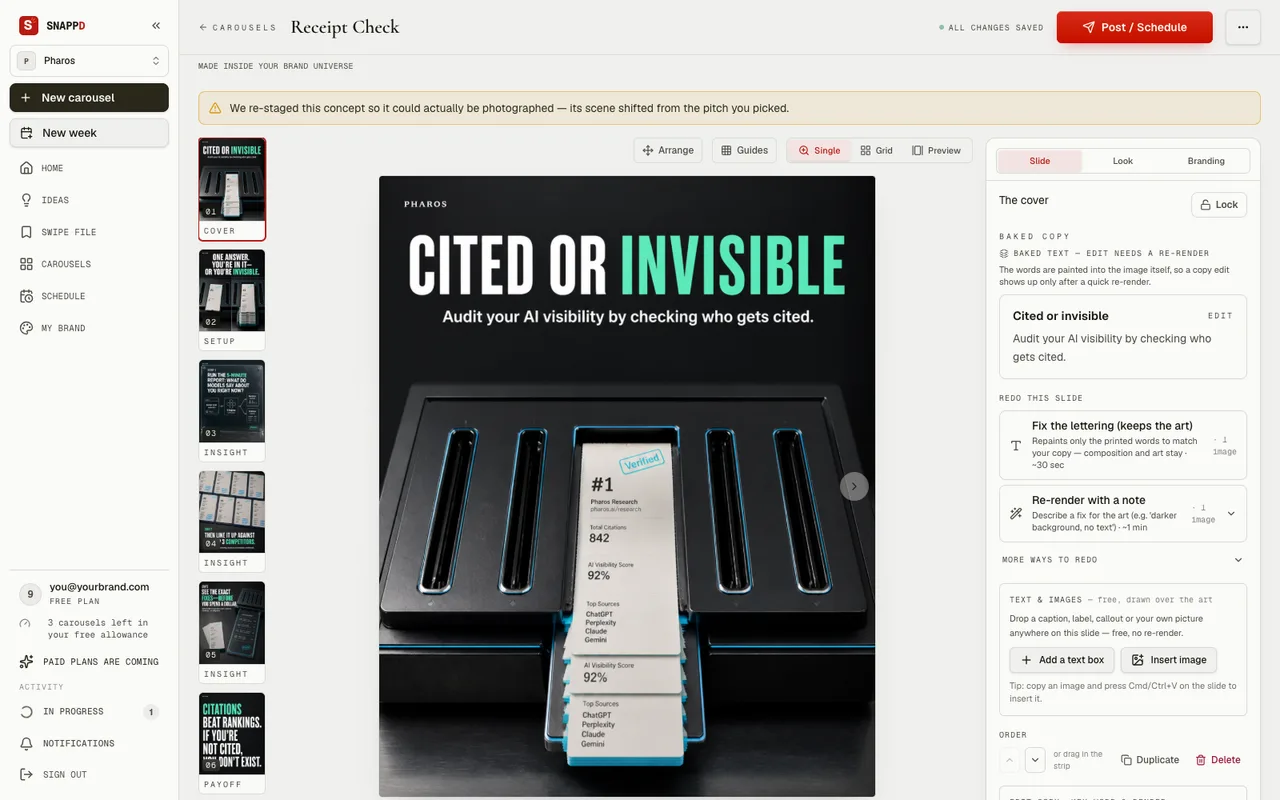
The headline is in the picture, not on top of it.
Most tools lay a text box over an image. You can always tell: the type floats, the shadows don’t agree, and the whole thing reads as a caption stuck to a photo.
Snappd asks the image model to set the words — painted on the wall behind the subject, printed on the tag, stamped into the card. The type belongs to the scene because it was made with it. Look at the cover beside this: the headline is printed on the chart paper, in the paper’s own light.

Field guide — 6 slides
Continuity
Twelve posts that look like one body of work.
- Your brand kitFonts, colours, casing, logo
- Your brand universeSetting, visual grammar, tone, and what must never appear
- A cast that comes backThe characters and objects it reuses
The controls
Nothing renders behind your back.
- Words first
- You read and edit every headline before a single image is made.
- The cover gate
- Snappd renders the cover and stops, and you can always ask for another.
- Slide by slide
- Re-render any single slide without touching the others.
- Still yours
- Rewrite copy, swap the logo, change the caption, export again. Editing on screen is instant and costs nothing.
The cover
One slide spent
You approve
or ask again
Then the rest
Nothing rendered until you say so
The files
Finished files, ready to post.
Sizes
- 4:5Instagram1080 × 1350
- 1:1LinkedIn1080 × 1080
- 9:16Stories, Reels1080 × 1920
- Formats
- A PNG per slide, a ZIP of the whole deck with the caption in a text file, or a PDF.
- A caption
- Written for the deck, and editable.
- A share link
- Send a client or a teammate a preview before anything goes out.
- A week planner
- Lay out what posts when.