Features
Everything Snappd does, plainly.
No feature is behind a plan. Everything below is on the free plan too — a plan buys bigger daily limits, not a longer list.
Start four ways
You rarely start from nothing. Whatever you already have is a way in.
- From a topic — you give the subject and the audience, Snappd picks the hook and builds the arc.
- From a concept — Snappd pitches distinct concepts first and you choose which one gets built.
- From a post — point at a carousel you admire and Snappd reads its structure, then remakes it for your brand and your topic.
- From an article — paste a blog post or article URL and its skeleton drives the slide sequence and the slide count.
The writing engine
A carousel is an argument, not nine captions. Every slide has a job in the arc.
- A proven carousel structure, chosen for the subject.
- Copy passes an editorial critique and a coherence check before it can reach a render.
- You read and approve every word before the first image is made.
Hook
Stops the scroll
Context
Why it matters
Conflict
What's wrong
Shift
The turn
Resolution
What to do
Art direction and render
One committed visual world for the deck, a shot for each slide, and the headline baked into the image by the image model.
- The headline is set inside the scene — painted, printed, stamped — not laid over it in a text box.
- Rendered slides pass a vision check that re-rolls accidental mess.
- Deliberate strangeness survives: a carousel that stops the scroll is rarely a tidy one.
- An overlay path exists as a fallback; baked is the default and the point.
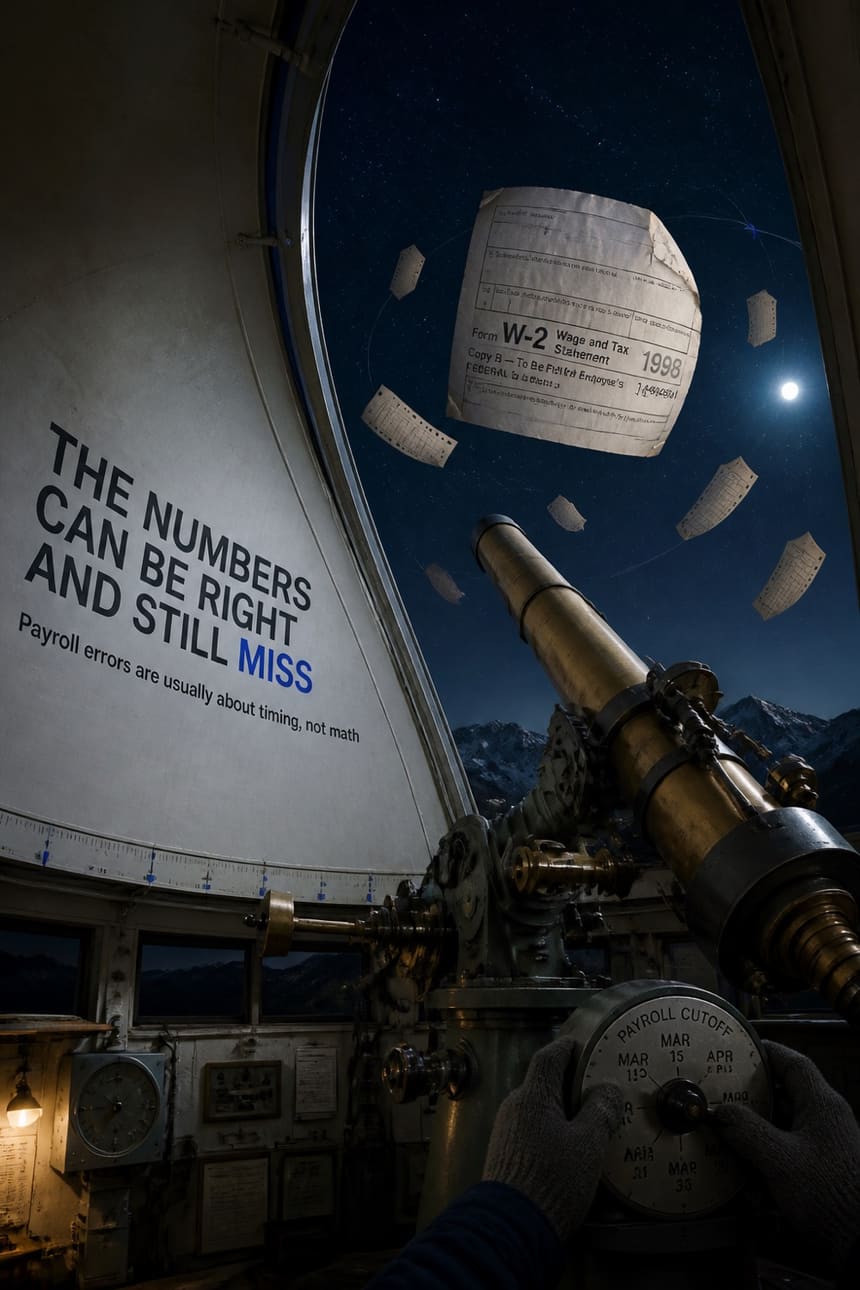
Painted on the dome, curving with it 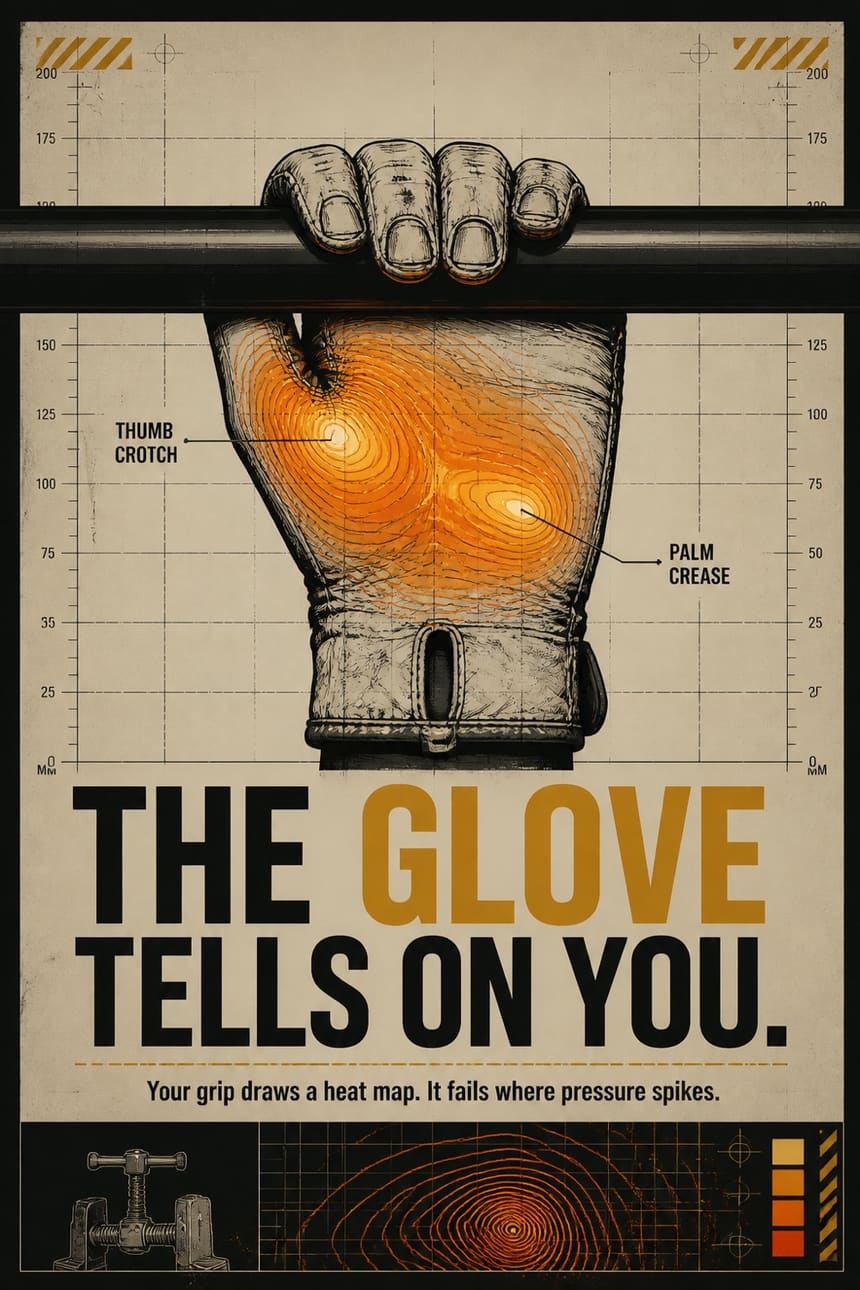
Printed on the chart paper, inside its own rules


Your brand layer
Set once, and every deck after it comes out inside the same world.
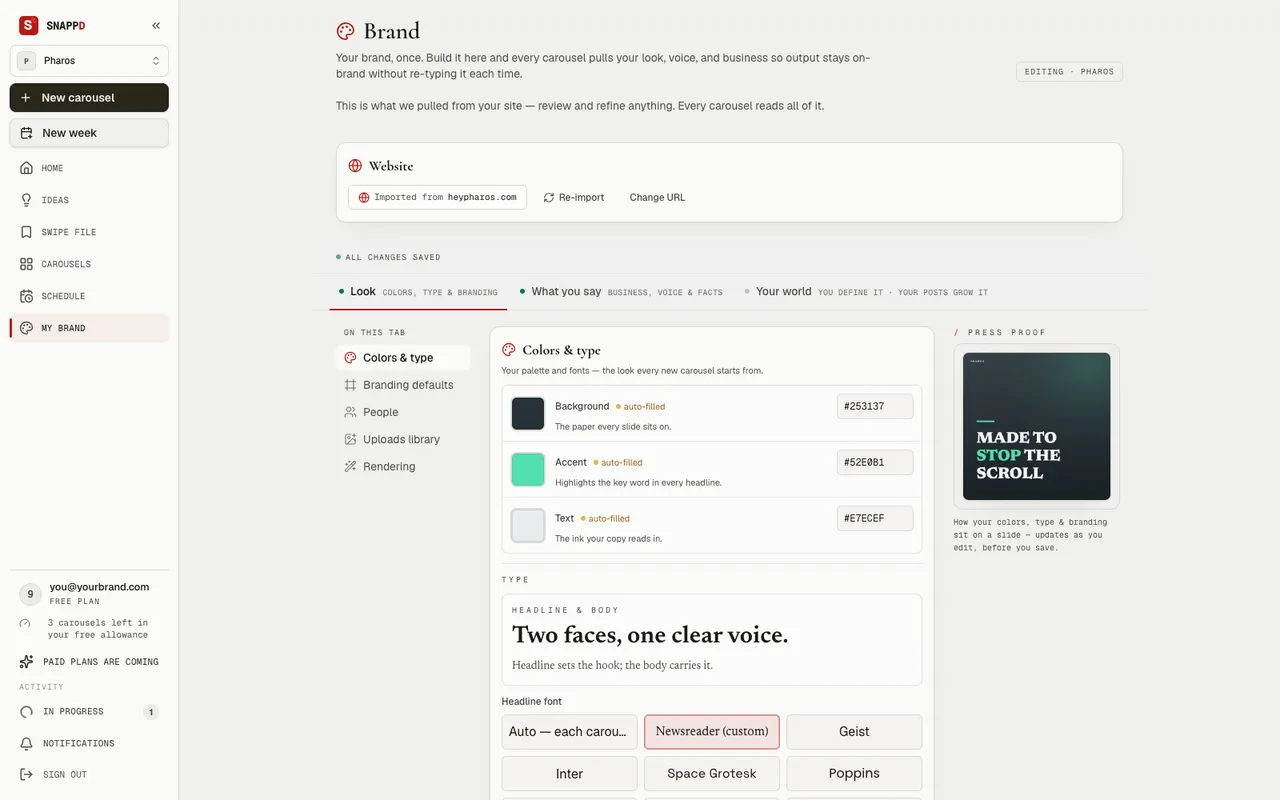
- Brand kit — fonts, accent colour, palette, headline casing, wordmark and logo chrome.
- Import a brand from a URL or from reference images.
- Brand universe — an authored canon: setting, visual grammar, tone, motifs, a never-appears list, a recurring cast.
- Saved look — your durable visual grade, carried forward.
- Multi-brand — several brand profiles per account, everything scoped to the active one.
The editor
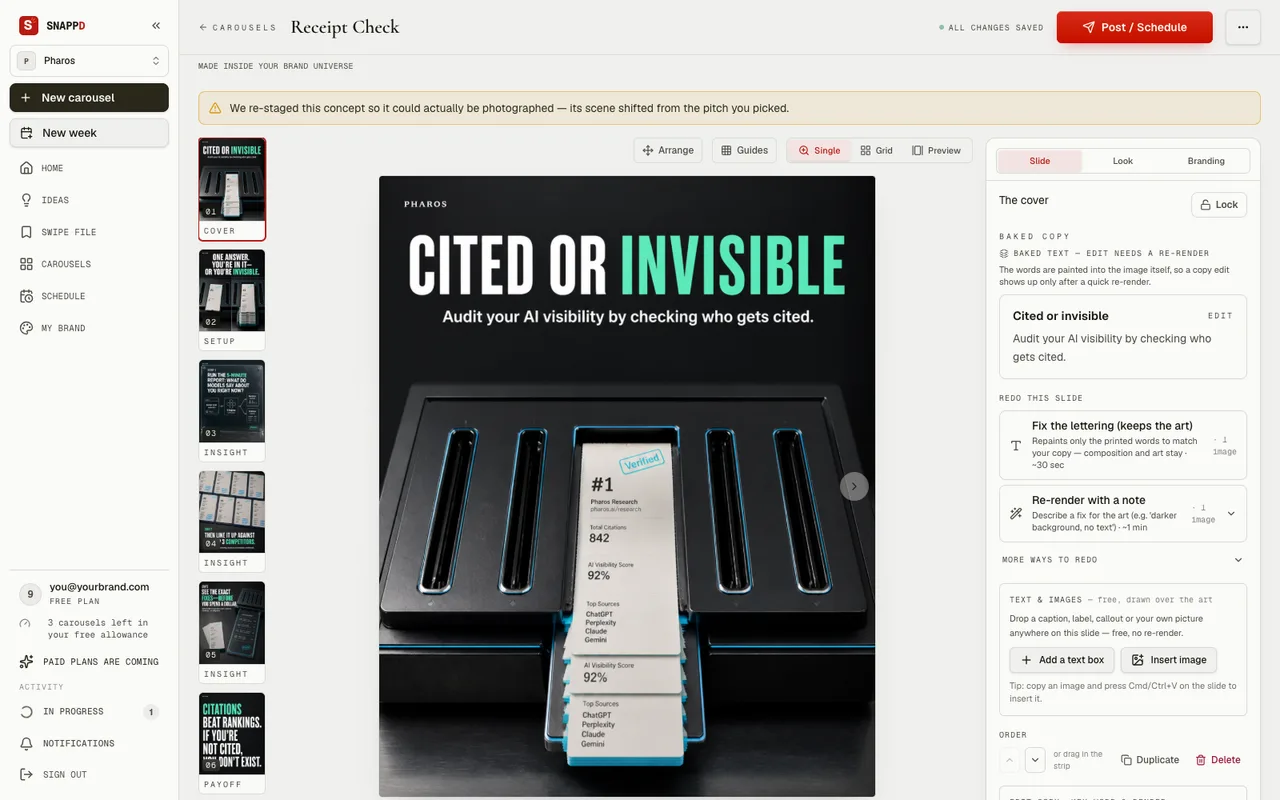
Nothing is final until you say so, and changing your mind on screen costs nothing.
- On-screen re-composites are free and instant; only new AI renders spend credits.
- Exports: a PNG per slide, a ZIP of the deck with the caption as a .txt, or a PDF.
- A share link — a public preview for a client or a teammate.
The cover
One slide spent
You approve
or ask again
Then the rest
Nothing rendered until you say so
- 4:5Instagram1080 × 1350
- 1:1LinkedIn1080 × 1080
- 9:16Stories, Reels1080 × 1920
Ideas, swipe file and the extension
The work before the work: what to post about, and where the good ones are kept.
- Ideas — generate topic ideas for your brand, develop one straight into a deck.
- Swipe file — a library of reference carousels to remake.
- Chrome extension — save any Instagram carousel to your swipe file while you browse, in your own logged-in session, no scraping vendor.
- Week planner — plan and queue the week’s posts.
- Save 0/8
You open a carousel
- Save 3/8
It collects as you swipe
- Saved 8/8
The whole post is yours
The same engine
Not locked to one taste.
Every other deck on this site is cool and technical. This one is luxury editorial — oxblood grounds, brass instruments, a high-contrast serif, and the brand’s wordmark set at the head of every slide. Same engine, a register away.
Spec work — an unsolicited demonstration. Not affiliated with, or commissioned by, the brands shown.


Aesop — spec work, unaffiliated
hook
Slide 1 of 9. Proof, before it vanishes
What it doesn’t do.
It doesn’t post without you, and it doesn’t finish a deck you haven’t approved. You read the words before anything is rendered and you approve the cover before the rest is made. That’s the deal.
Start with a topic and see the whole thing work.
Three carousels free. No card.